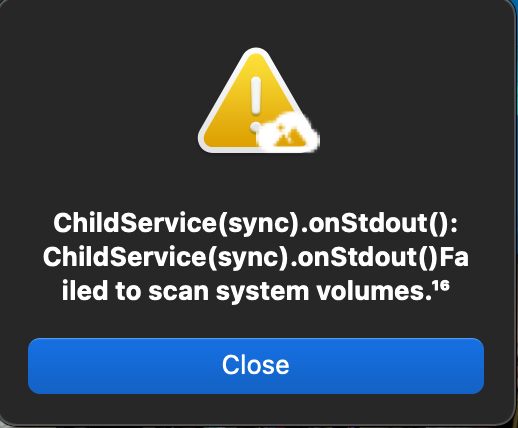
Current Behavior: If I leave PhotoStructure running for a few hours or more -not sure of the exact time frame unfortunately, I get the dreaded “failed to scan system volumes” error. Initial startup and processing works fine after some tinkering with other settings specified in the large library tune-up tips post, it’s only after leaving PS to work by itself for a while that it runs into trouble.
System: Mac OS Big Sur (11.4) on a 2020 M1 Mac Mini Edition: PhotoStructure for Desktops (beta channel) Version: 1.0.0-beta 9
Thanks to @robert810c for reporting this issue. Apologies for the delayed follow-up.
System volume scanning has been completely rewritten since this thread was active. PhotoStructure now uses @photostructure/fs-metadata, a new native library for reliable filesystem and volume metadata on Windows, macOS, and Linux. This replaces the fragile approach of forking df and mount that caused these errors on M1 Macs.
If this issue recurs on a current version, please open a new topic.