Weirdness with and a randomly-generated container name prefix
Edit 1
The following steps cause the container with randomly-generated prefix to appear and disappear.
- Stop the project
- Edit YAML Configurations
- Save
- Choose Build and start the project (rebuild the image).
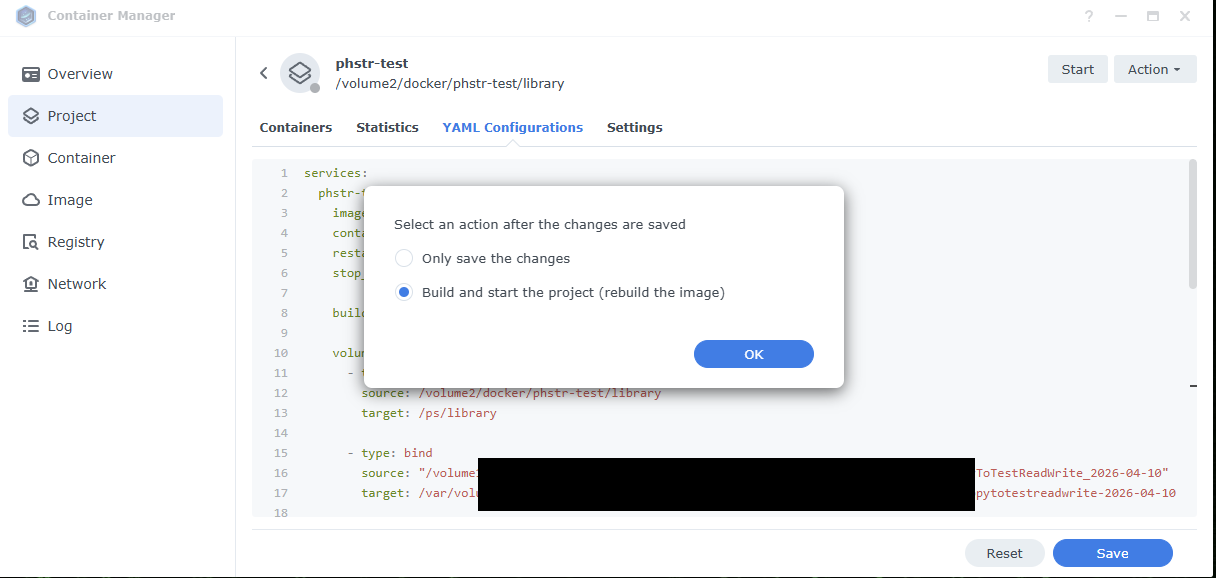
Now the container is rebuilt with a weird prefix, and you get errors when you try interacting with it. To fix it, reboot your Synology. The prefix disappears and you can now interact with it like usual.
I also tried Only save the changes, manually running Clean, and then manually restarting the image, and that seems to have worked as well. No weird container name prefix.
I still do not know where the <none> image comes from.
First off, I do not think this needs to block stable release. Especially since it seemed to resolve itself by rebooting the Synology, except for the <none> image. And especially because I edited YAML from the Synology GUI, I could totally see Synology having some bugs around that.
And if this is a necessary limitation for getting HEIF / HEIC support on Synology without licensing concerns, I can certainly accept that with a documented note in the official PhotoStructure Synology instructions.
Weirdness
To me it seems the official compose YAML (with external Dockerfile?) can cause the project to somehow spawn containers and then disassociate the project from those containers.
- https://photostructure.com/server/photostructure-for-docker/#synology-docker-instructions suggests Docker Compose / Synology Projects is the preferred install method, and that is what I am using.
- During initial setup of previous version 2026.4.4 in
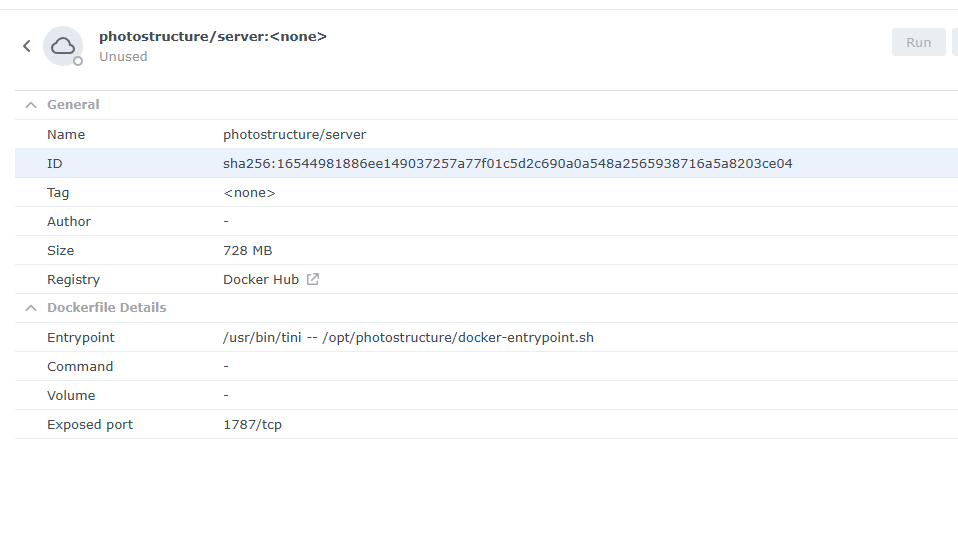
Projecttab, it triggered a download of three images in theImagetab. Onemwader/static-ffmpeg:8.0.1, one PhotoStructure withbetatag, and one PhotoStructure with<none>tag. - The
<none>image is 728MB withsha256:16544981886ee149037257a77f01c5d2c690a0a548a2565938716a5a8203ce04, so maybe it’s simply an issue withbeta/stabletags that will go away once we can uselatesttag?. I don’t mind this, it’s just weird that it would download something with a<none>tag. - After a day or two I used the Synology GUI in the
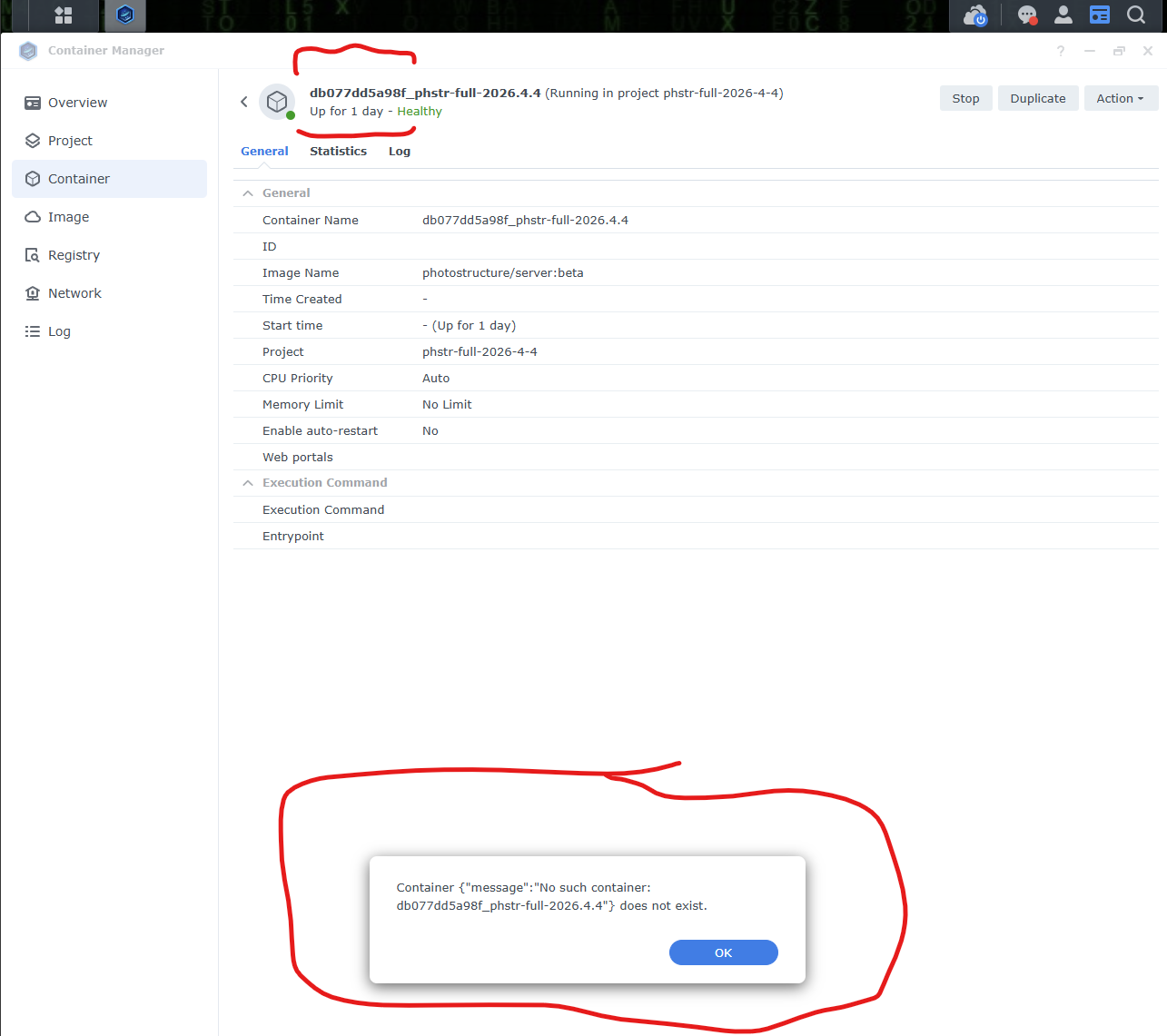
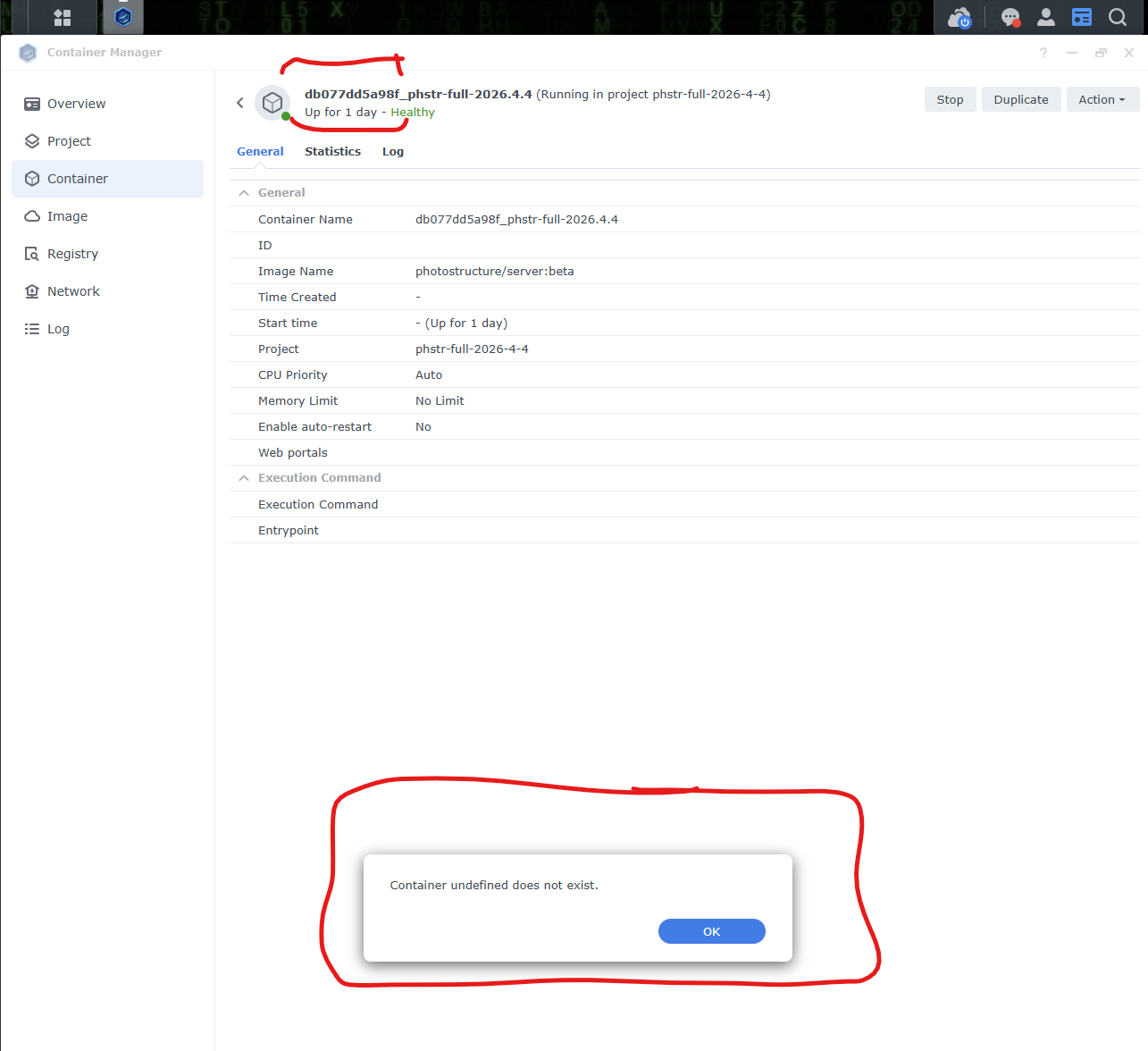
Projecttab to modify the YAML config to stop the project, changePS_MAX_CONCURRENT_IMPORTS=3to2instead, and restart. That spawned a new container with a randomly-generated extra prefix. (The project has the same name, but the container associated with it now has a randomly-generated prefix). - Then when clicking into the project then into the container, there are strange error messages about
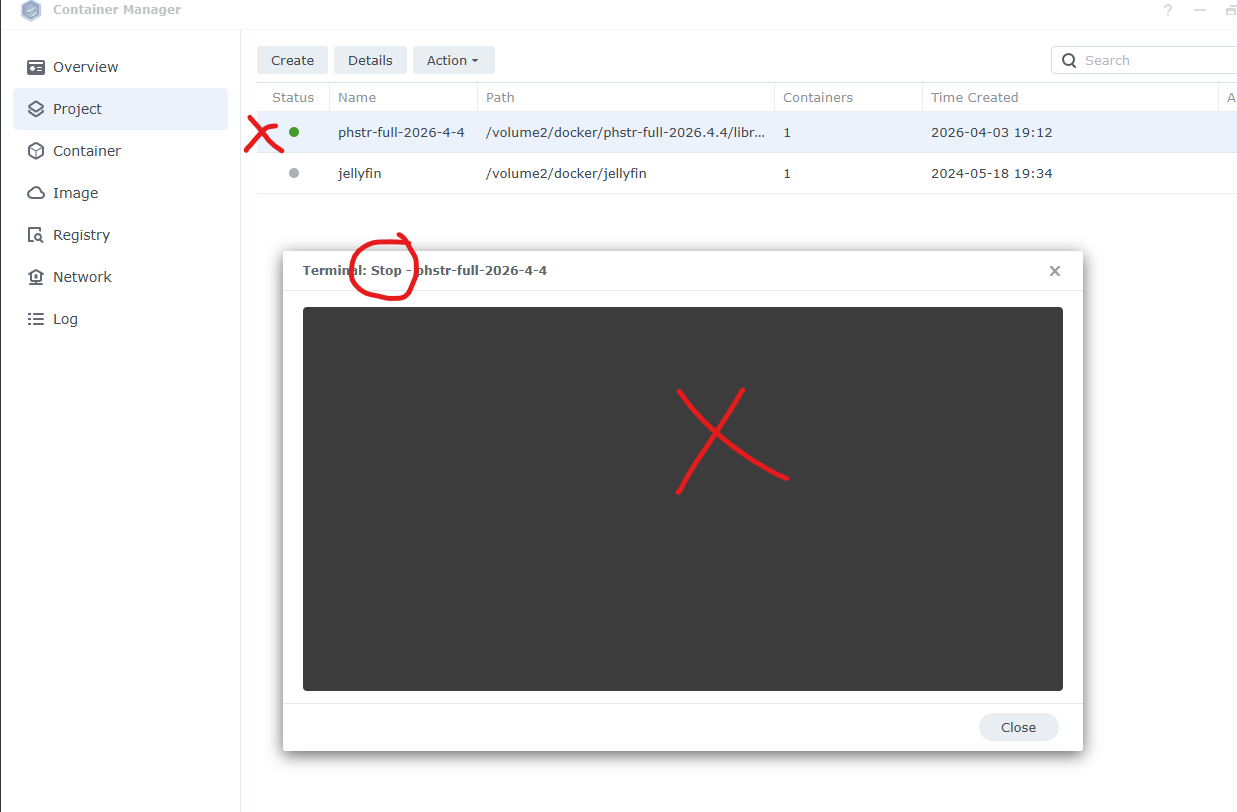
Container undefined does not existandContainer {"message":"No such container: db077dd5a98f_phstr-full-2026.4.4"}does not exist. - Then when trying to stop the project, it opens up a Terminal window, but nothing stops.
- Then when trying to stop the container, it gives an error that there’s no container.
- I tried refreshing the Synology webpage web interface and that seemed to help a little previously, but not now.
- I tried rebooting the Synology, and then was able to stop the project normally!
- After rebooting the Synology, the weird container name prefix disappeared, although the 728MB photostructure
<none>image remained.
After updating the project per previous post with Clean, deleting images beta and <none>, but not deleting mwader/static-ffmpeg:8.0.1 image, the <None> image did not return. Maybe because I did not delete the mwader/static-ffmpeg:8.0.1 image? I do not care to test more at this time. Not a big deal, just weird.