Hello,
I first noticed an issue completing my first full import. It seems to process/transcode a few iPhone8 video clips (maybe 5-8?) but then the process will eventually stall. It still reports that it is ‘processing’ in the top status bar but will not make any progress.
However, if I stop/start the photostructure docker container (in Unraid) it’ll resume transcoding for a bit, before stalling again. This is very repeatable.
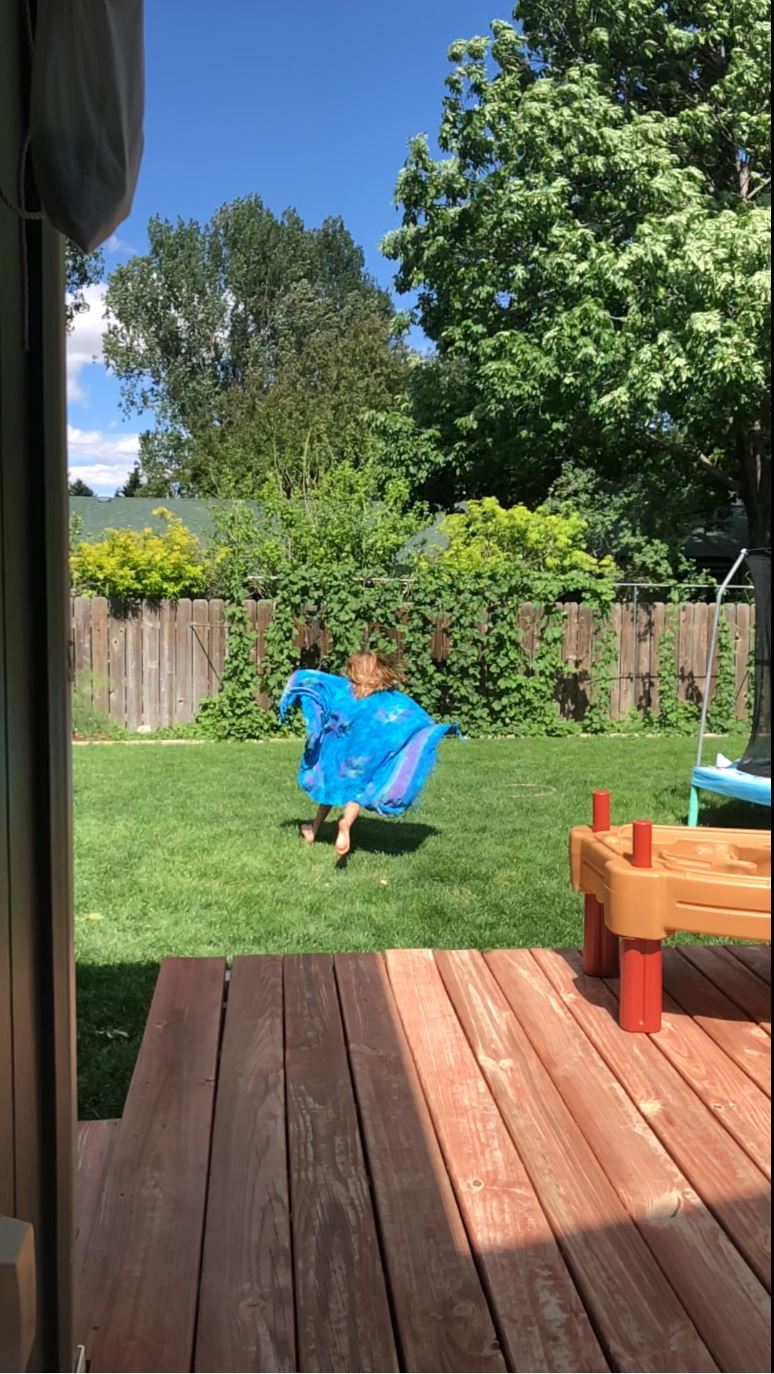
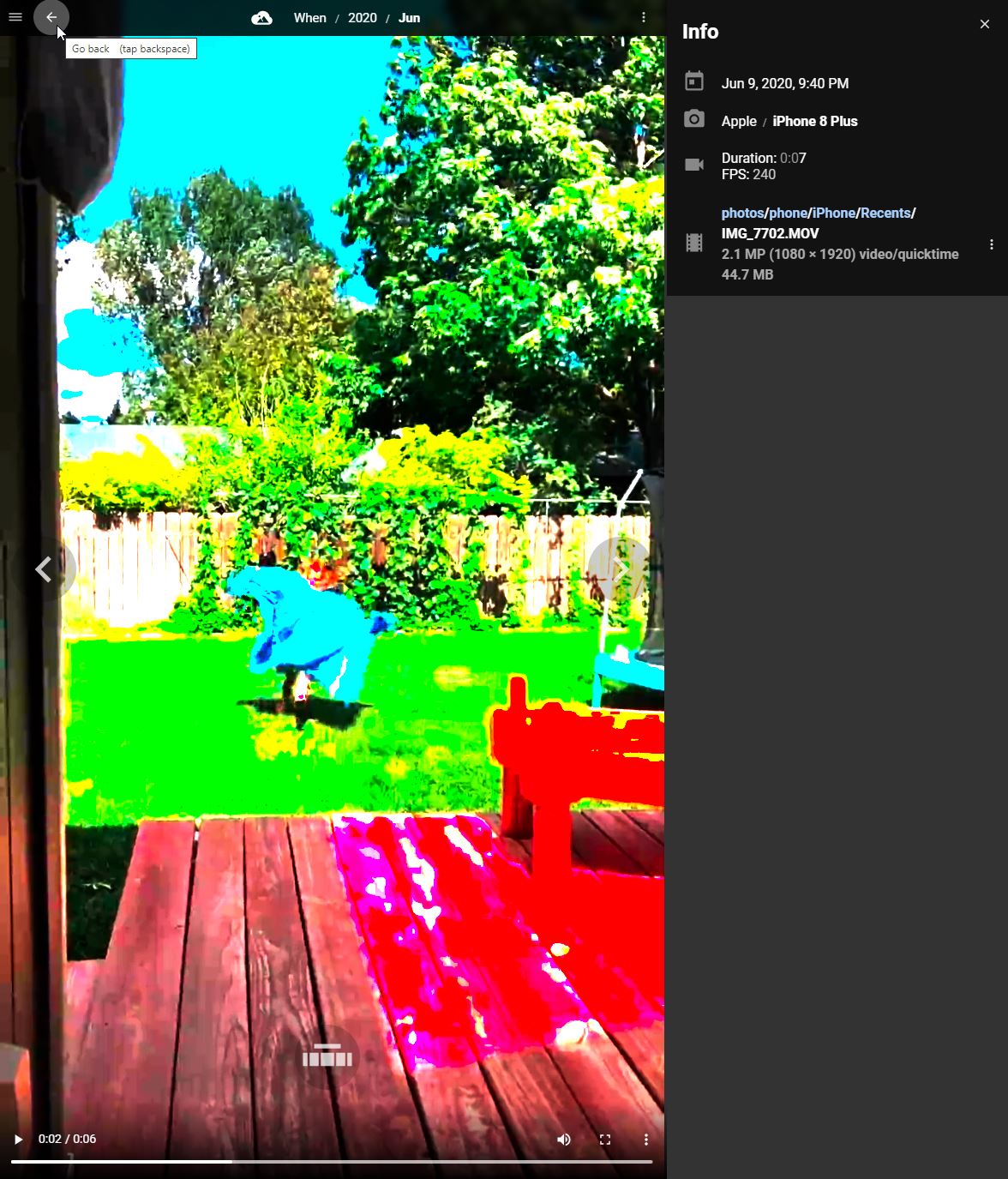
Another symptom, I’m not sure if it is related, the transcoding output of iPhone8 videos is rather distorted. I’ve attached a couple screen grabs.
It is often working on these class of videos prior halting progress.
(P.S., it happens on non-240fps clips as well)
I’m running v1.1.0, deployed this weekend (so I’m using the newer CA docker config). That said, my initial library buildout was started around August 26th, so my configuration files are from that era.
I’m not using automatic organization and have specified my photostructure library to reside on unraid cache pool. The unraid host is an older (2013) 8core-Xeon box with quite a bit of RAM available.
Might you suggest a log verbosity level and provide an example of which log to look at? I can launch a console into the PS container and run photostructure logcats, etc.
Welcome to PhotoStructure, @heavyd ! Thanks for the detailed report and apologies for the glitches.
I had another user report the neon-oversaturation issue several days ago. Can you email me the MOV file to hello@photostructure.com?
As far as the “stuck” processing, I’d set PS_LOG_LEVEL=debug and then run logtail in a terminal window shelled into your container (UnRAID has a button to do this from the web ui, it’s very convenient!). Feel free to send me debug logs, but know it’ll be several days before I can take a look (I’m trying to ship the first alpha build of v2.0)
Thanks for sharing the original .MOV: I was able to reproduce the issue, and the solution will be in the next build (v2.0.0-alpha.1).
It’s actually a no-code solution: I just had to change the default for the ffmpegTranscodeArgs setting. If you want to try it out before I get the build out, just edit your system settings.toml:
Thank you for the settings update suggestion. I’m interested in testing it.
Regarding editing the settings.toml,
I tried following the suggestions here
Power up PS with env PS_START_PAUSED=true (this was passed using an unraid container variable)
Complete initial PS welcome steps (authenticate, tell it not to automatically organize, etc)
Once it loads the ‘paused status’, stop the container with Unraid
Edit config/settings.yaml
Start the PS container with unraid
Launch the WebUI but find that it starts back over with the ‘welcome’ settings screen. If I re-complete these steps, it replaces the settings.toml file, which removes my prior edits.
Here’s a snip of what I changed. Just removing the comment characters+whitespace and altering the lines you have in the post above:
# CAUTION: this is an advanced setting. Editing this may cause videos that
# require transcoding to not be imported, or not be viewable on all browsers
# and platforms. See
# <https://forum.photostructure.com/t/poor-transcoding-of-videos-in-wider-color-spaces-rec-2020/646>
# for more details.
#
environment: "PS_FFMPEG_TRANSCODE_ARGS"
ffmpegTranscodeArgs = [
  "-c:a",
  "aac",
  "-c:v",
  "libx264",
  "-pix_fmt",
  "yuv420p",
  "-vf",
  "colorspace=all=bt709:iall=bt601-6-625:fast=1",
  "-movflags",
  "faststart",
  "-profile:v",
  "high"
]
I suspect I’m introducing syntax error(s) causing PS to replace the file? I don’t think I’m introducing linux/windows whitespace problems…at least I’m making an effort to avoid that.
Any obvious newb mistakes you notice in my settings.toml changes?
Happy to rtfm regarding settings.toml…can you suggest a post/doc different from the steps above?
There should be an existing settings.toml file. PhotoStructure doesn’t use YAML.
It looks like you may have uncommented the line starting with “environment” above the value you wanted to change: the TOML parser is probably grumping about that.
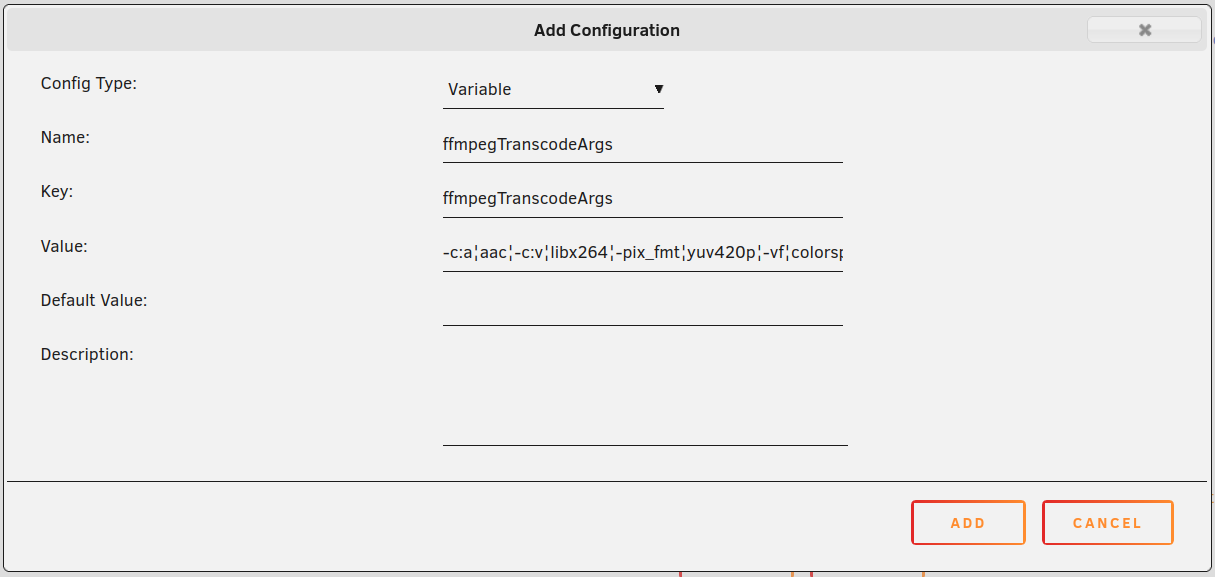
If it’s simpler, know that you can just directly add variables to your unraid template:
For key, use ffmpegTranscodeArgs or PS_FFMPEG_TRANSCODE_ARGS
(PhotoStructure knows to look for both values)
For value, these string array settings accept JSON encodings or strings joined with “broken bar” or the platform’s path delimiter (: on posix, ; on windows).
In this case, our value has colons in it, and I don’t really trust UnRAID to not muck with double-quotes, so I’d just join with ¦:
Good catch on the yaml typo…that suffix is burnt into my brain…but only saved toml files here.
I thought I needed to uncomment the env in order for it to know what to do with the ‘ffmegTranscodeArgs’ variable name. Gotcha now.
And thank you for the example for putting the config change into the container spec and broken-bar-formatting it. That’s a cool option…makes it easy to roll back later.
Have applied this change now and am rebuilding the library. It’s gone through a few videos already and all are good! (no neon!)